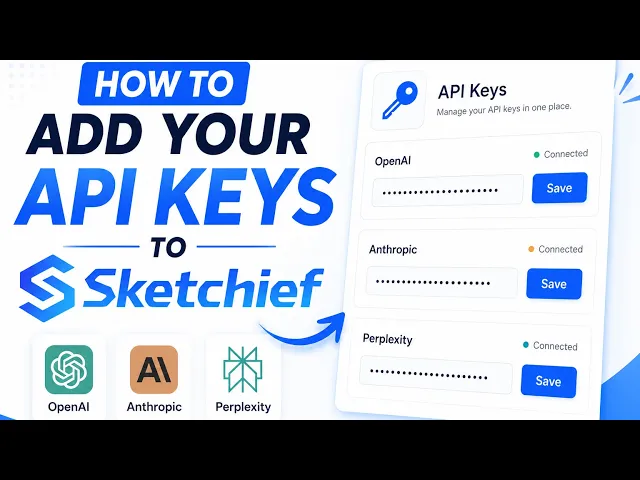
Getting Your API Keys
Learn how to add your api keys to Sketchief

Sketchief runs on your own AI accounts, so you are always in control of your usage and cost. You will paste a few keys into Settings, then API Keys, and you are ready to go. This takes about 5 minutes.
What you need
You need 3 keys to run a campaign:
- Anthropic (Claude) writes and plans your campaigns
- OpenAI powers supporting tasks across the platform
- Perplexity researches every lead before we write to them
2 more are optional:
- Gemini is used for cheaper, lightweight tasks, which lowers your overall cost
- Apify is only needed if you want LinkedIn or website scraping
A quick note on cost
These keys are pay-as-you-go, billed by each provider directly, not by Sketchief. Most people load $10 to $40 into each account to start and top up when needed. You only ever pay for what you actually use.
The one thing that trips everyone up
A brand new key will not work until you have added credit or a payment method to that account. If a key ever fails, this is almost always the reason. We flag it in each step below.
Also worth knowing: your API accounts are separate from any chat subscription. A Claude Pro plan, a ChatGPT Plus plan, or a Perplexity Pro plan does not give you API access. The API is always its own balance.
Anthropic (Claude), required
Powers the writing and planning agents.
1. Go to console.anthropic.com and sign up with email or Google.
2. Open Settings, then Billing, and click Add to credit balance. Add a minimum of $5 to start. Skipping this is the number one reason a new key fails.
3. Go to Settings, then API Keys and click Create Key. Give it a name like "Sketchief".
4. Copy the key now. Anthropic only shows it once. It starts with `sk-ant-`.
5. Paste it into Sketchief under Settings, then API Keys.
Tip: turn on auto-recharge in billing so your campaigns never pause partway through when the balance hits zero.
OpenAI, required
Powers supporting tasks across the platform.
1. Go to platform.openai.com and sign up. You will be asked to verify a phone number.
2. Add a payment method first. OpenAI will not let you create a key without one. Go to Billing, click Add to credit balance, and add $5, which is the minimum.
3. Go to API Keys and click Create new secret key. Name it "Sketchief".
4. Copy the key now. It is shown only once. It starts with `sk-proj-`.
5. Paste it into Sketchief under Settings, then API Keys.
Tip: turn on auto-recharge in billing so your campaigns never pause partway through when the balance hits zero.
Perplexity, required
Researches every lead before we write to them. Perplexity now has its own dedicated developer console, separate from the main site.
1. Go to perplexity.ai and sign up. A free account is fine.
2. Open the developer console at console.perplexity.ai.
3. Go to the Billing tab in the left sidebar and click Add payment method. This on its own does not charge your card. It just saves the card for later.
4. Click Buy credits and add some to your balance. Perplexity uses prepaid credits, so you have to load credits before you can create a key. Add the minimum amount it shows you. Note that the minimum can vary by account, so some people see $5 and others see a higher figure like $50. Just add whatever the screen asks for.
5. Go to the API Keys tab and click Generate. Copy the key right away, since it is only shown once.
6. Paste it into Sketchief under Settings, then API Keys.
Note: if your credits run out, the key stops working until you top up. You can turn on Automatic Top Up so this never interrupts a campaign.
Gemini, optional but recommended
We use Gemini for cheaper, lightweight tasks, which lowers your overall cost. It has a free tier with no credit card required.
1. Go to aistudio.google.com/apikey and sign in with a Google account.
2. Click Create API key and pick or create a project.
3. Copy the key. It starts with `AIza`. You can always view it again here later.
4. Paste it into Sketchief under Settings, then API Keys.
Apify, optional
Only needed if you want LinkedIn or website scraping for research.
1. Go to console.apify.com and sign up.
2. Open Settings, then API and Integrations.
3. Copy your Personal API token.
4. Paste it into Sketchief under Settings, then API Keys.
Once your keys are in
That is it. Sketchief encrypts every key and never shows it again in full. You are ready to build your first campaign.
If a key is not working, it is almost always billing:
- Did you add credit or a payment method to that account? This is the most common cause.
- Did you copy the whole key, with no extra spaces at the start or end?
- Has the account run out of balance? Top it up and the key works again.
Still stuck? Contact support and we will sort it out.